Centralised credit card vault: why your card data should stay yours
8 min read
•
06 Oct 2026


{{summary-box}}
Ask your payment provider a simple question: if we left tomorrow, could we take our tokenised card data with us?
The pause before the answer tells you a lot. Card data held in a provider’s own vault usually isn’t portable, or only through a slow, manual migration. That isn’t really a technical limitation. It’s what makes switching expensive enough that most businesses never do.
A centralised token vault changes that. Your customers’ card details are stored once, in an independent vault, and turned into tokens that work with any acquirer you connect. Here’s how it works, and what it means for your business.
{{text-box}}
| Provider-held vault | Pay.com centralised vault | |
|---|---|---|
| Who controls the card data | Your payment provider | You |
| Tokens work with | That provider only | Any acquirer you connect |
| Switching acquirer | Migration project, re-collect cards or accept churn | Change your routing |
| Running several acquirers | Separate vaults, separate tokens | One token per card, shared across all of them |
| Security standard | Varies by provider | Independent PCI DSS Level 1 vault |
What is a credit card vault, and why does it lock you in?
A credit card vault (also called a payment vault or token vault) is a secure store for your customers’ card numbers. When a customer saves a card, the vault keeps the real number and gives you a token: a random stand-in value that’s useless to anyone who steals it. Your systems only ever see the token. This process is often called card vaulting.
Tokenisation is now standard practice. Six in ten merchants use it in payments, according to the 2025 Global eCommerce Payments & Fraud Report from Visa Acceptance Solutions and the Merchant Risk Council.
The catch is who holds the vault. In most setups it belongs to your payment provider, and the tokens only work on that provider’s rails. Those tokens are the key to every saved card, every subscription and every one-click repeat purchase you have. They stop working the moment you route a payment anywhere else.
Why it matters: the same report finds that merchants usually use three to four payment gateways and acquiring banks. If each provider holds its own copy of your card data, you end up with several vaults, several sets of tokens, and no single view of your customers. And moving away from any one provider means asking customers to re-enter their cards, or losing them.
How Pay.com’s centralised token vault works
Stored once. Tokenised.
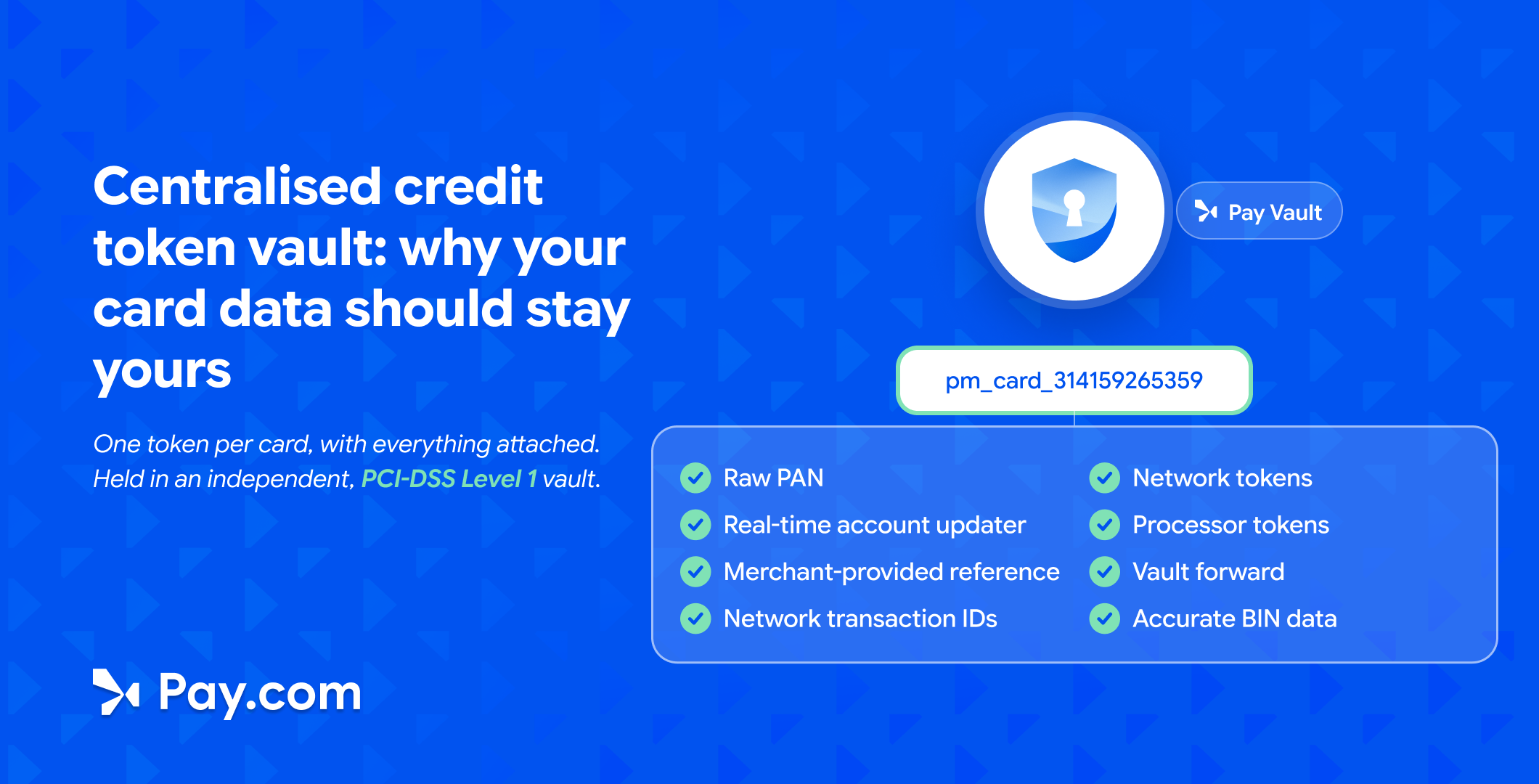
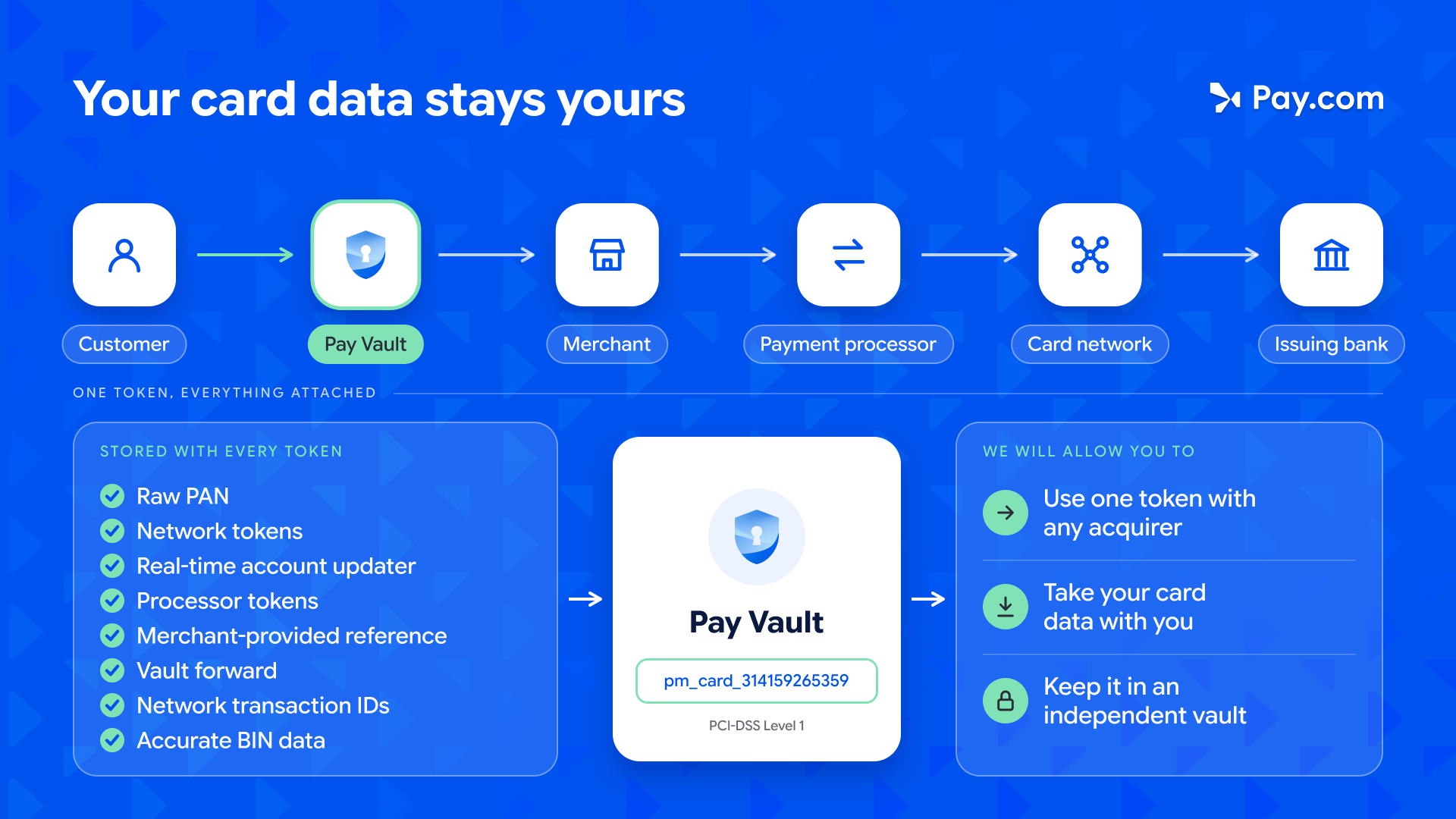
When a customer saves a card with you, Pay.com stores it once, in Pay Vault, our independent centralised vault. You get back a single token for that card, such as pm_card_314159265359.
That one token isn’t just a stand-in for the card number. Everything you need to process, update and route the payment is attached to it.
| Attached to every token | What it does for you |
|---|---|
| Raw PAN | The real card number, held securely in the vault so your systems never touch it |
| Network tokens | Card-scheme tokens that stay current and lift approval rates |
| Real-time account updater | Refreshes card details automatically when a card expires or is replaced |
| Processor tokens | Tokens from your existing acquirers, kept so current setups keep working |
| Network transaction IDs | Keep recurring and stored-card payment chains intact, whichever acquirer you use |
| Merchant-provided reference | Your own customer or order ID, so tokens map cleanly to your records |
| Vault forward | Sends card data securely to a third-party endpoint without it passing through your systems |
| Accurate BIN data | Card type, issuer and country, for smarter routing and risk decisions |
One token. Any acquirer.
Pay.com tokens are processor-agnostic. The same token works with every acquirer you connect, whether that’s Acquirer A today, Acquirer B next quarter, or all three at once.
That’s the difference between a third-party credit card vault and a provider’s vault. The provider’s vault serves the provider. An independent vault serves you.
What a centralised token vault lets you do
Add an acquirer without starting over
Want better approval rates in a new market, or a local acquirer to cut cross-border fees? Connect it, and your existing tokens work there from day one. There are no cards to re-collect and no migration project.
Best for: businesses expanding into new regions or adding local acquiring.
Switch acquirers on your terms
If an acquirer raises fees, has an outage or stops being a good fit, you can move your volume. The card data stays in your vault, so leaving a provider no longer means leaving your customers’ saved cards behind.
Why it matters: a provider can’t use your card data as leverage when it was never theirs to hold. That changes how every pricing conversation goes.
Run several acquirers in parallel
Because every acquirer reads from the same token, you can route each payment to the one most likely to approve it. If one declines or goes down, the payment can be retried through another. Pay.com handles this through intelligent routing and automatic failover.
Best for: high-volume merchants, subscription businesses and anyone who can’t afford a single point of failure.
Keep stored cards working
Cards expire, get lost and get replaced. Each change can break a saved card and fail the next payment. With real-time account updater and network tokenisation attached to every token, stored details stay current in the background.
Why it matters: Visa found that across more than 8,600 issuers and 800,000 merchants, its tokens cut fraud rates by 28% and raised approval rates by 3% (Visa via Business Wire). And stored cards matter more every year: 45% of shoppers used saved payment details for their most recent purchase (Visa Acceptance Solutions).
Security and compliance: a PCI DSS Level 1 compliant vault
Pay Vault is PCI DSS Level 1 compliant, the highest level in the card industry’s data security standard. For service providers, Visa sets Level 1 at 300,000 or more Visa transactions a year, and requires a full on-site assessment by a qualified security assessor every 12 months (Visa).
A centralised vault also shrinks your own compliance workload. The PCI Security Standards Council’s tokenisation guidelines explain how tokenisation can reduce the amount of cardholder data in your environment, and with it the scope of your PCI DSS assessment. When card numbers live in Pay Vault and your systems only hold tokens, there’s far less for you to secure and audit.
Worth knowing: tokenisation reduces your compliance scope, but doesn’t remove it. You still need to validate PCI DSS compliance for the parts of your business that touch card data, such as your checkout page.
How to choose a credit card vault provider
Not every third-party credit card vault gives you the same freedom. Before you choose a provider, check that it offers:
- Token portability: tokens that work with any acquirer you connect, not just the provider’s own rails.
- PCI DSS Level 1 compliance: ask to see the provider’s attestation of compliance (AOC).
- Network tokens: card-scheme tokens that stay current and lift approval rates.
- Real-time account updater: so saved cards keep working when they expire or are replaced.
- Vault forward and detokenisation: a secure way to send card data to third-party endpoints without it touching your systems.
- Multi-acquirer routing: the ability to send each payment to the acquirer most likely to approve it, with failover if one goes down.
Pay Vault is built around all six, so you get an independent vault and the routing to use it in one integration.
Your data stays yours
Independent vault. Portable tokens. Any acquirer, on your terms.
Already with Pay.com? Talk to your account manager about moving your stored cards into Pay Vault and connecting the acquirers you want to use.
New to Pay.com? See how Pay.com payments work, or book a demo to find out how one integration gives you a vault you own and access to every acquirer you connect.
Frequently asked questions
What is a credit card vault?
A credit card vault is a secure system that stores customers’ card numbers and replaces them with tokens. Your business uses the tokens to take payments, while the real card numbers stay in the vault.
What is a centralised token vault?
A centralised token vault stores each card once, in one independent place, and issues a single token that works across all your acquirers and payment providers. It replaces the separate vaults each provider would otherwise hold.
What’s the difference between a payment orchestration platform and a vault?
A vault stores and tokenises card data. A payment orchestration platform routes payments across multiple acquirers and providers. Pay.com combines both, so the same token can be routed to whichever acquirer is most likely to approve the payment.
Can I take my card data with me if I switch payment provider?
With a provider-held vault, often not easily. Tokens usually only work with that provider, and moving data out can take a lengthy migration. With Pay.com’s independent vault, your card data and tokens stay with you, whichever acquirers you use.
What are processor-agnostic tokens?
Processor-agnostic tokens aren’t tied to any single acquirer or processor. One token can be used with any acquirer connected to your Pay.com account, which means you can add, switch or run acquirers in parallel.
What is network tokenisation?
Network tokenisation replaces a card number with a token issued by the card scheme, such as Visa or Mastercard. Network tokens update automatically when a card changes and are linked to higher approval rates and lower fraud.
What does an account updater do?
An account updater refreshes stored card details when a card expires or is replaced. This prevents declines on saved cards and recurring payments. Pay.com’s real-time account updater is attached to every token in Pay Vault.
How do I switch payment processors without losing my card tokens?
Store your customers’ cards in an independent vault rather than your processor’s. Tokens issued by a processor’s own vault usually only work with that processor, so switching means a data migration or asking customers to re-enter their cards. With a processor-agnostic vault like Pay Vault, the same token works with every acquirer you connect, so switching becomes a routing change, not a migration.
What is detokenisation?
Detokenisation is the reverse of tokenisation: swapping a token back for the original card number. It should only happen inside a secure vault, when the real number is needed, for example to send a payment to an acquirer. Pay.com’s vault forward detokenises card data and sends it straight to a third-party endpoint, so it never passes through your systems.
Who offers network tokenisation that works with any acquirer?
Pay.com does. Network tokens are attached to every token in Pay Vault, alongside processor tokens and a real-time account updater. Because Pay Vault is independent, those tokens work with every acquirer connected to your Pay.com account rather than being tied to a single processor.
Is Pay Vault PCI DSS compliant?
Yes. Pay Vault is an independent, PCI DSS Level 1 vault, the highest level of compliance in the card payment industry.
Most payment providers keep your customers’ card data in their own vault, so the tokens only work with them and switching means losing saved cards. A centralised token vault stores each card once, independently, and issues one processor-agnostic token that works with every acquirer you connect. Pay.com’s Pay Vault is PCI DSS Level 1 and attaches network tokens, real-time account updater and routing data to every token.
Independent vault. Portable tokens. Any acquirer, on your terms. See how one integration gives you a vault you own and access to every acquirer you connect.


Kety Oliveira is a marketing leader with more than 15 years of experience in fintech and payments, bringing energy, creativity, and sharp commercial thinking to modern businesses. She has built marketing strategies, driven customer and partner acquisition, and grown engaged communities across payments, eCommerce, B2B, retail, travel, and gaming. Her deep understanding of the payments landscape, from how merchants choose providers to how partnerships and channels fuel growth, gives her a uniquely practical perspective on the industry. On the blog, Kety shares hands-on insights into payments and fintech, drawing on years of real-world experience to help readers make sense of trends, strategies, and what truly drives success in this fast-moving space.
Read next
Get payments insights in your inbox